01 · Problem
When the platform steps back, everything lands on the host
As long as the host rents through Airbnb or Booking, the platform takes the money, collects the tax and keeps things in order. Then a loyal guest comes back, and the host would rather welcome them directly to avoid the commission. Everything the platform used to do without saying so now lands on them. Writing a compliant contract. Working out the tourist tax at the rate of their town, then paying it over. Producing an inventory report that will hold up against an insurer.
Verbatim
“As long as I rent through Booking, they handle everything and I have nothing to worry about. But my good guests come back, and I prefer to welcome them directly.”
Private host, 2 to 3 holiday rentals, rents partly off platform. Name changed.Contract, inventory report, tax receipt, photos
French tourism code, seasonal rentals
Floors, walls, ceiling, woodwork, windows…
40 minute sessions, thinking aloud
02 · Inventory report
Photograph a room, get its inventory report
An honest inventory report asks for about a hundred fields per property. The condition of every surface room by room, and a list of everything it holds. Nobody fills it in fully, and on the day something breaks there is nothing to show the guest.
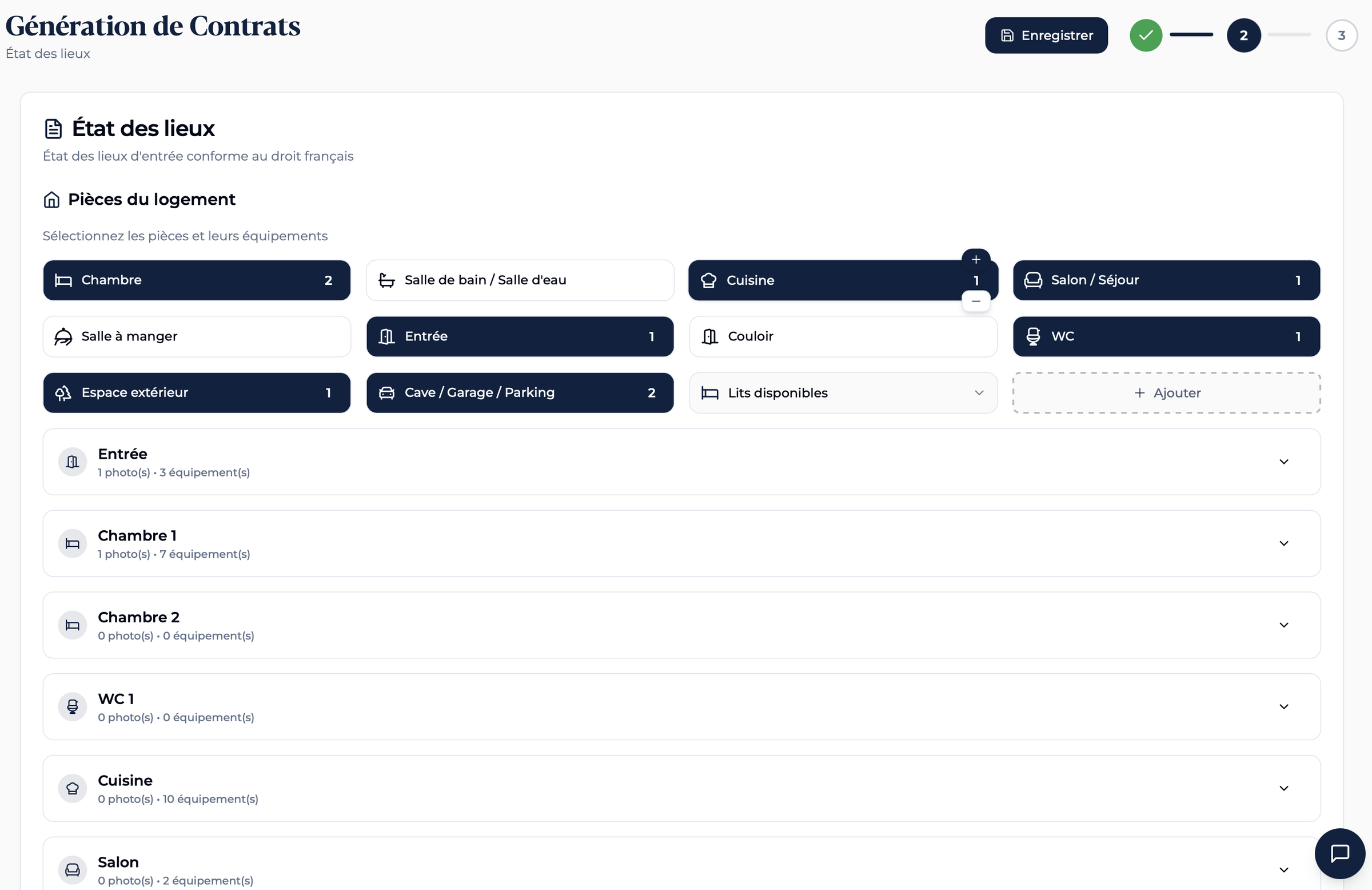
The host photographs the room, and the form fills itself in. The overall condition, the list of amenities and the nine detail sections arrive already filled, then the host corrects what is wrong.
Showing what the machine filled in
An inventory report is legal evidence, and the host is the one who signs it. After the analysis, the interface opens by itself every card it has just filled. So the host walks past each field before confirming.
Meter reading from a photo
DetailThe check-in and check-out reading is the second place where the host copies figures by hand, under pressure, on the doorstep. A photo of the meter is enough, the reading is picked up then carried over.
Limits of automatic analysis
Trade-offA photo shows the visible condition, it does not say whether the window shuts or the hob heats up. Those fields, the host fills in personally.
03 · Contract and signature
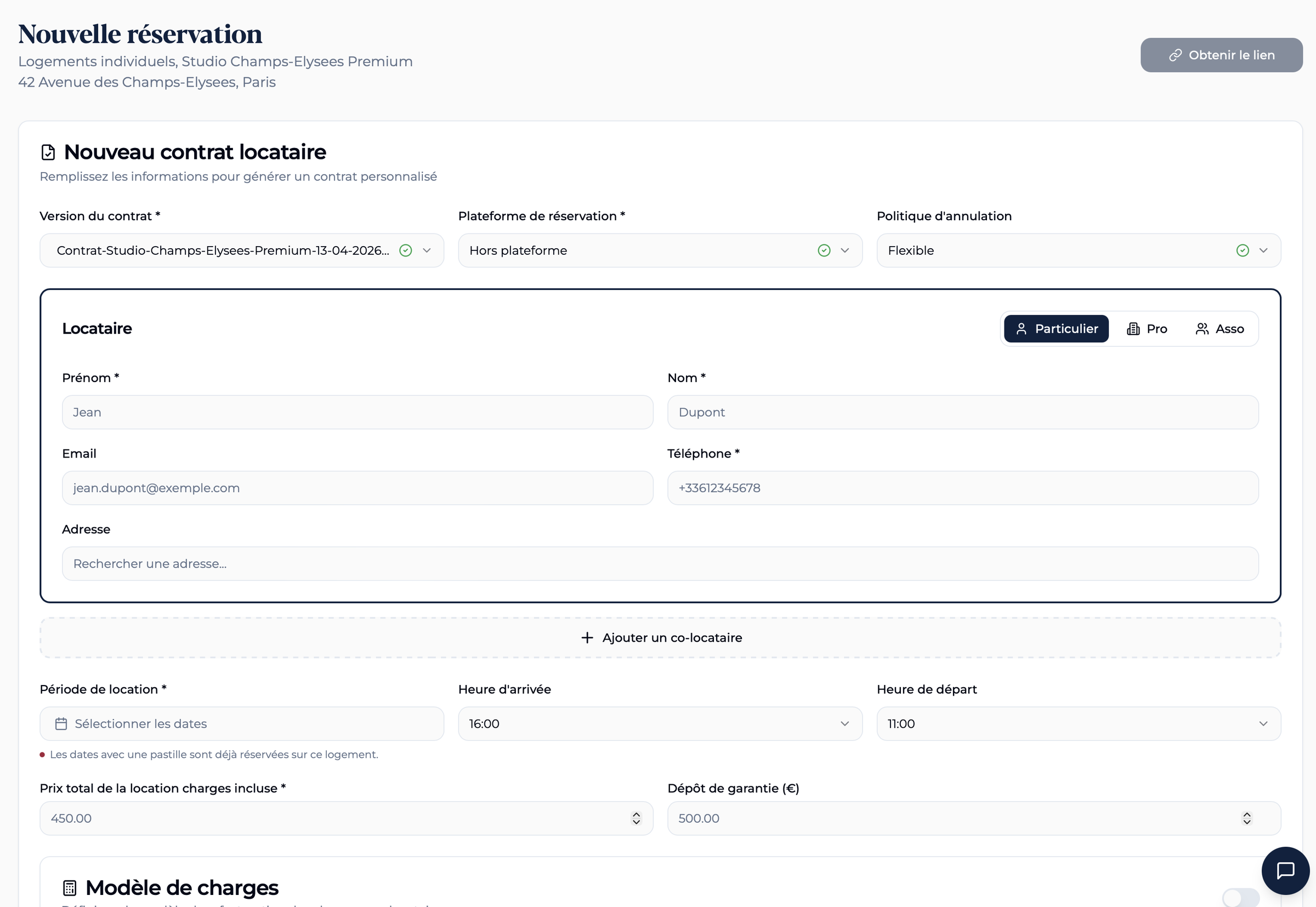
Answer simple questions, get a compliant contract
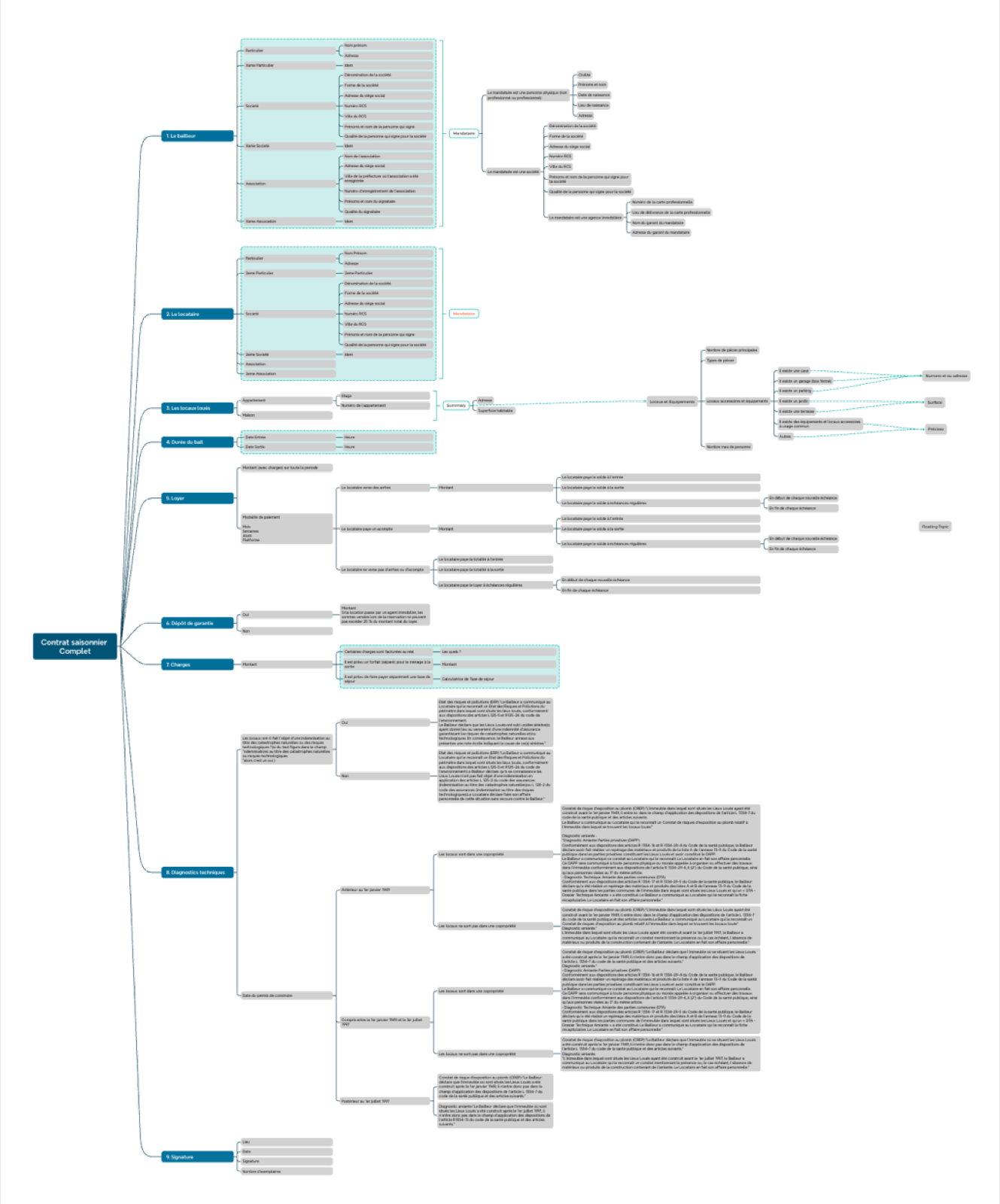
The design work started with a decision map. Before a single line of code, I listed every question to ask the host and every branch the contract had to produce. The landlord can be a private individual, a company or an association, with or without an agent. Then come the premises and their equipment, the term, the rent, the deposit, the charges and the signature. Then the technical surveys, which depend on the date of the building permit.
That map served as the master plan. The host only ever sees a guided form. Their answers trigger a dozen decisions, and those decisions write the lease.
The tourist tax is worked out on the real figures for the stay, then carried straight into the contract handed to the guest, with the detail of the calculation. The host retypes nothing, and the guest can check.
The moment the wording blocked everything
The electronic signature comes in three European regulatory levels, known by their acronyms SES, AES and QES. That is the wording of the trade, and it was the wording of the interface.
Both testers got stuck in the same place. Neither could say which level to take for a holiday rental. An acronym says nothing about what it guarantees, nor when to use it. Yet that choice sets what the contract is worth in a dispute.
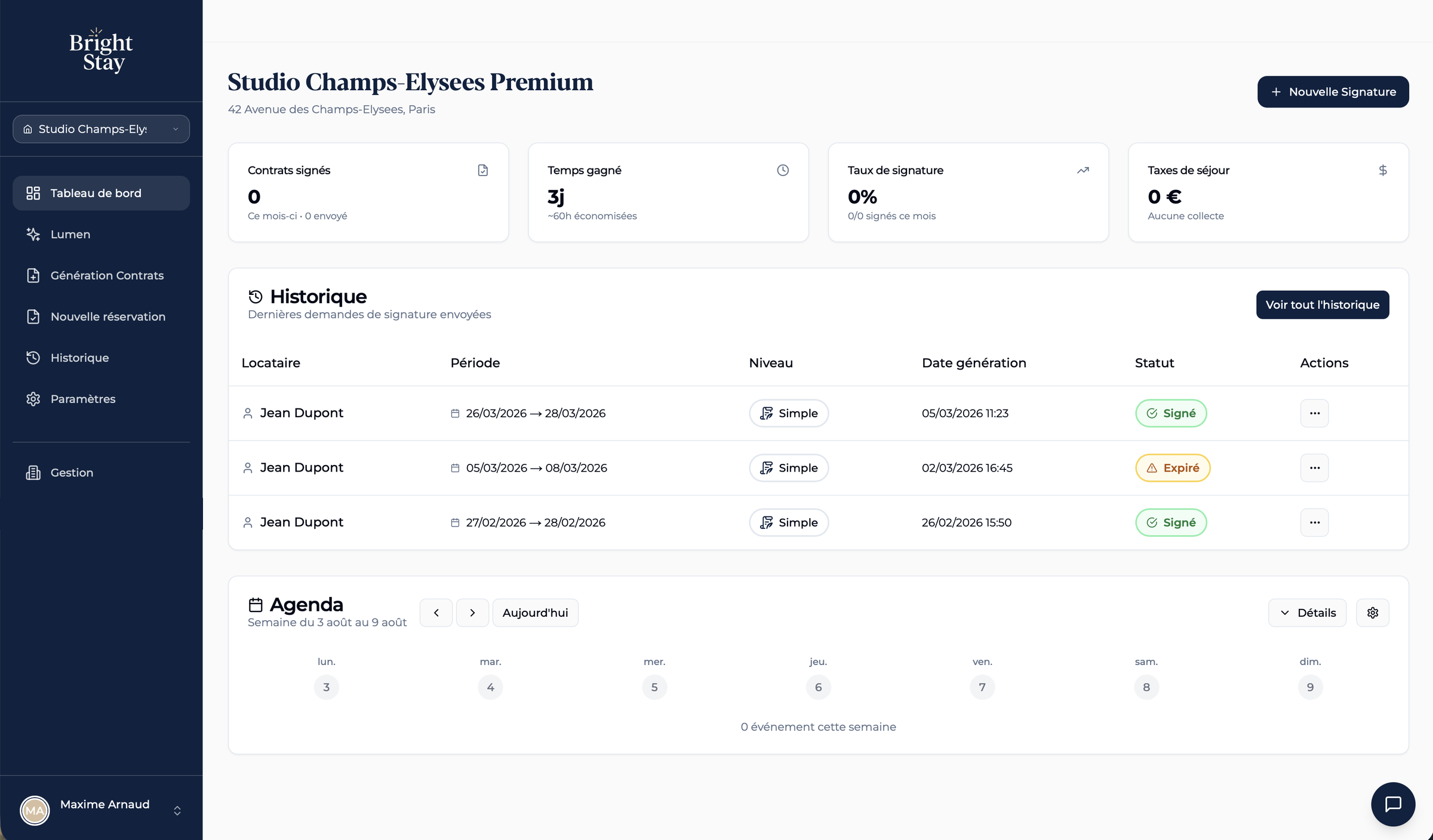
Each level now carries an everyday name and the situation that calls for it. The choice is made by reading the screen, with no knowledge of the eIDAS regulation. The badges alongside are the ones from the app.
Initial wording
Neither of the two testers knows which one to take.
Wording adopted
- Simple
- Enough for an ordinary rental. The tenant signs with a click and receives a code by text.
- Advanced
- Identity checked with an ID document and a selfie. Recommended if you do not know the tenant.
- Qualified
- Same legal value as a handwritten signature. For a likely dispute or a large amount.
04 · Lumen
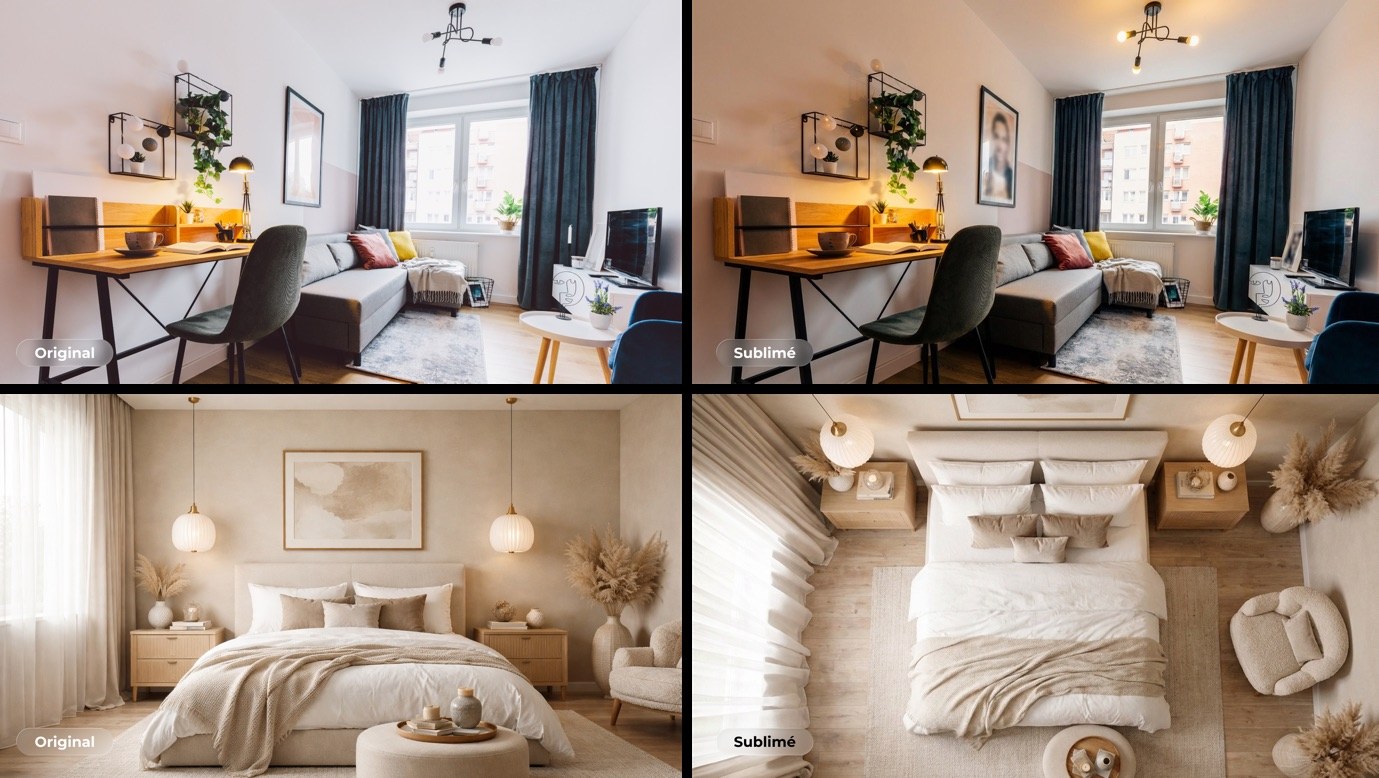
Photo retouching, the high point of both test sessions
A host photographs the property with a phone, often in light that works against it, shutters half closed and the ceiling lamp on in broad daylight. The listing suffers, and the host has neither the budget nor the wish for a photographer.
Lumen reworks the photo without touching the property itself. The guest has to recognize the room when they open the door.
Scope of the retouching
Rule- What changes
- The light, the color temperature, the materials, the depth.
- What does not change
- The geometry of the room, the furniture, the volumes.
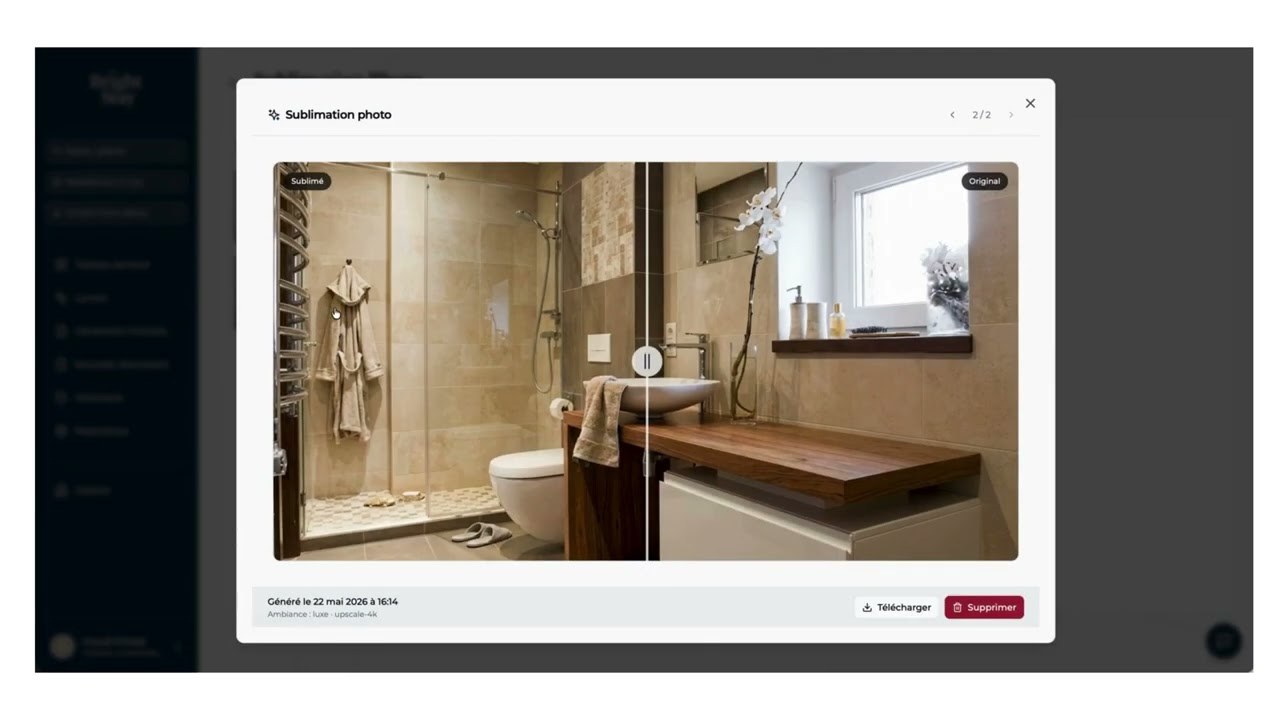
The whole suite, in a demo
Photo enhancement is only one of the features. The video alongside shows them all at work on one property, in the order a host meets them.
Each one states its cost in credits before it runs.
05 · Design system
The brandbook and the data model
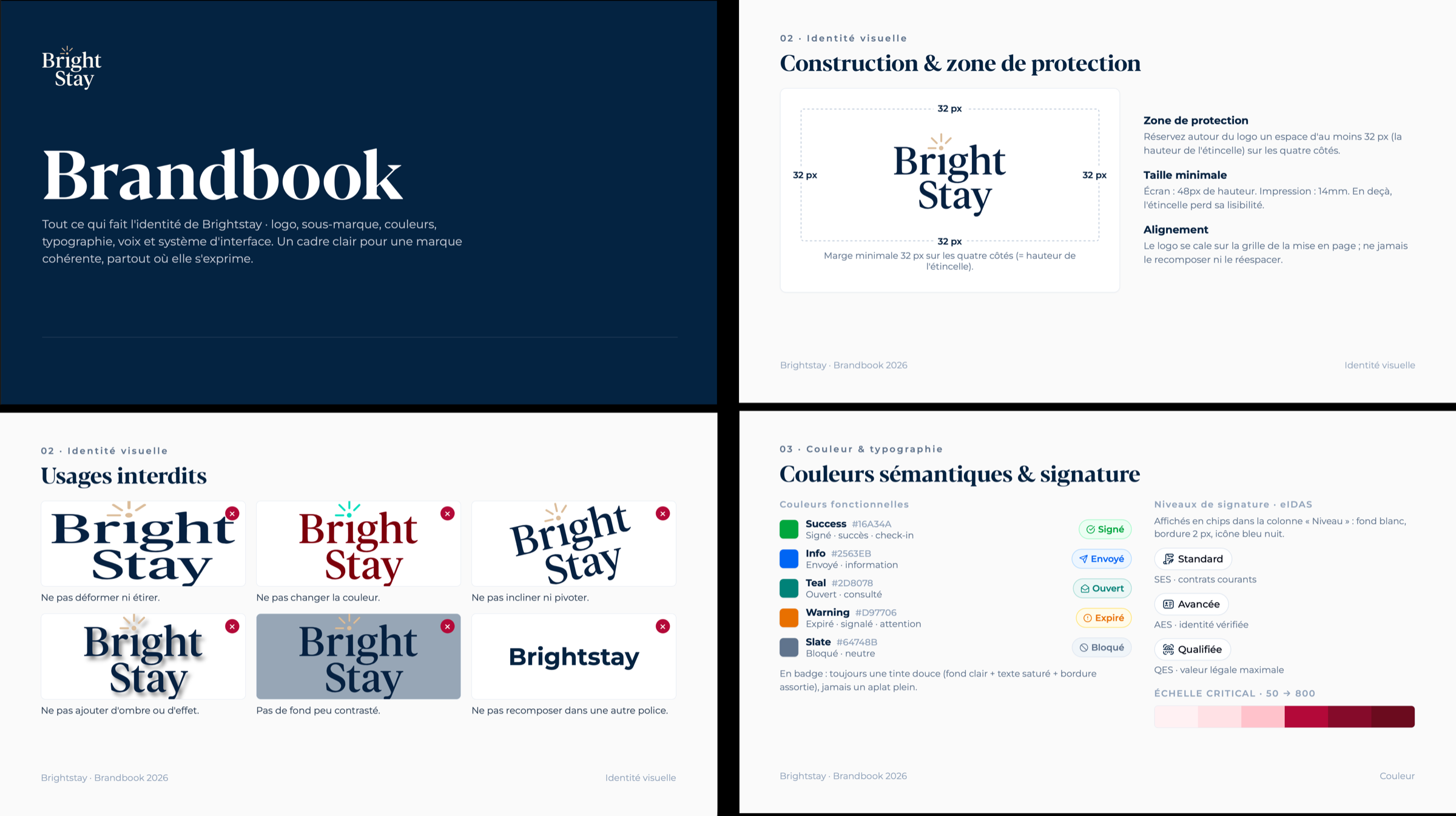
I wrote a brandbook. It sets the logo and its clear space, the 2 typefaces, the palette and what each color means.
A badge always keeps a soft tone, light background, saturated text and a matching border. Each status also carries an icon and a word, so that someone who struggles to tell red from green still understands.
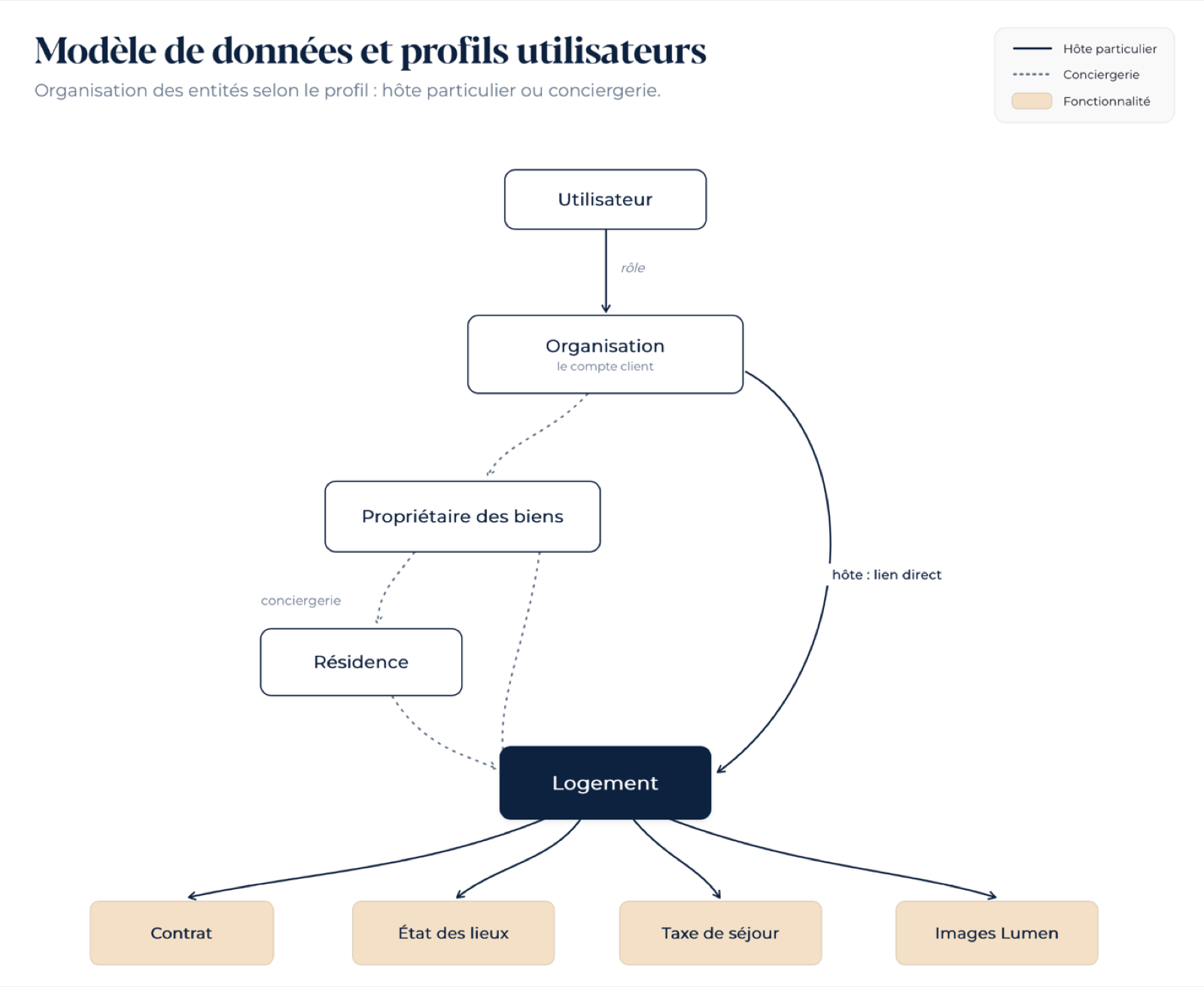
The same system serves two audiences with nothing in common. A private host with two holiday rentals, and a property management company running six properties for four owners. The host is linked straight to their properties. The management company goes through owners and residences. The screen itself is the same for both.
Status colors
The six statuses of a signature request.